Video by Carolina Cowboys Open on YouTube ↗
The short version
The 2010-2015 RX350 needs phone pairing and audio Bluetooth registered separately, in a specific order, or the connection fights itself. The 2016+ head unit does both in one step.
On this page
Pairing a phone’s Bluetooth to an RX350 sounds simple until the connection half-works — calls connect but audio doesn’t, or vice versa. On the 2010-2015 models, that’s almost always an order-of-operations problem, not a broken system. The 2016+ head unit fixed it by combining both steps into one.
2010–2015 Models (Two-Step Pairing)
These models register the phone call connection and the audio streaming connection separately, and doing them in the wrong order causes conflicts.
- Start with the car on, in accessory mode or running (not required to be driving).
- Pair the phone first — go to Setup > Phone > Manage Phone > Add New. On the phone, open Bluetooth, find the car (listed as something like “car multimedia”), and pair. Allow contacts/favorites to sync.
- Then register the audio connection separately — go to Setup > Audio > Bluetooth Audio > Register. This step uses a different password than the phone-pairing step, and is a distinct registration from step 2.
Do this in order: pairing audio Bluetooth before the phone itself causes auto-connect to kick in, which then makes the phone-pairing step harder. Phone first, audio second.
2016+ Models (One-Step Pairing)
The 2016 combines both into a single flow:
- Setup > Phone, then add a new device, or go directly through Setup > Bluetooth. Either path registers both the call connection and the audio connection together — you don’t need the separate audio-registration step the 2010-2015 models require.
- Once paired, both the phone and the audio should already be connected and playing.
Managing Multiple Phones
- The system can hold two paired phones, but only connect one at a time — otherwise whoever starts the car next may connect to the wrong phone.
- To remove a phone: in the car, go to Setup > Bluetooth (or Phone) > Remove, confirm. On the phone, also forget the car under the phone’s own Bluetooth settings so it stops trying to reconnect.
That’s It
If you own both a 2010-2015 and a 2016+ RX350, remember they’re not the same procedure — the order-dependent two-step process on the older cars is the main thing that trips people up.
Questions people ask about this job
Why won't my phone connect properly on a 2010-2015 RX350?
Order matters. If you register the phone under Audio > Bluetooth Audio settings first, auto-connect kicks in and makes it harder to pair the phone itself afterward. Pair the phone first (Setup > Phone > Manage Phone > Add New), then separately register the audio connection (Setup > Audio > Bluetooth Audio > Register) — it uses a different password than the phone pairing step.
Can I have two phones connected to the car at once?
The system allows it, but the video recommends only connecting one at a time — otherwise whoever gets in and starts the car may end up connected to someone else's phone instead of their own.
How do I disconnect my phone before letting someone else use the car (or before switching it to a different car)?
In the car: Setup > Bluetooth (or Phone) > Remove, confirm yes. On the phone itself, also go into its Bluetooth settings and 'forget' the car as a device, so it doesn't try to reconnect automatically.
Keep going
More RX350 guides
 2010–2015 8 min
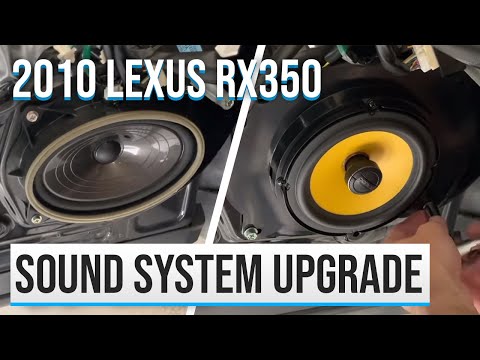
 2010 Lexus RX350 Sound System Upgrade (Door Speaker Swap)
The 2010 RX350's factory 6x9 door speakers pull too much bass forward, muddying the mids. Swap them for 6.5-inch coaxials to balance the sound and bring back clean mids and highs.
 2016–2022 21 min
 2016 Lexus RX350 Dash Speaker Upgrade (Get the Missing Tweeter Highs Back)
Lexus dropped the front-door tweeter on the 2016 RX350, dulling the highs versus the 2010. Swap just the two dash speakers for a 4-inch coaxial set with a built-in tweeter to bring the crisp top end back — here's the full DIY install.
 2010–2015 · 2016–2022 2 min
 Best Lexus RX350 Audio EQ Settings (2010 & 2016)
Dial in the factory head unit's EQ to get the most out of the stock 2010 RX350 system and the upgraded 2016 system — the exact treble, mid, and bass settings used for each.
 2010–2015 5 min
 2010 Lexus RX350 Cabin & Engine Air Filter Replacement (5 Minutes, $16)
Replace both the cabin air filter and engine air filter on a 2010 Lexus RX350 yourself in about 5 minutes for ~$16 in parts. Full step-by-step with the exact filters.
Fixed it? The next job is already on video.
Carolina Cowboys posts real DIY Lexus repairs. Subscribe and the next fix is waiting when you need it.